Item Availability Drill-Down: Find the Right Inventory, Faster
Inventory visibility is one of the biggest challenges for organizations operating across multiple sites and warehouses. It's not enough to know how much inventory exists—teams also need to know exactly where it is, how much is available for use, and whether it's already allocated or expected through incoming receipts.
That's why SyteRoam has introduced the Item Availability Drill-Down feature, making inventory exploration faster, simpler, and more intuitive.
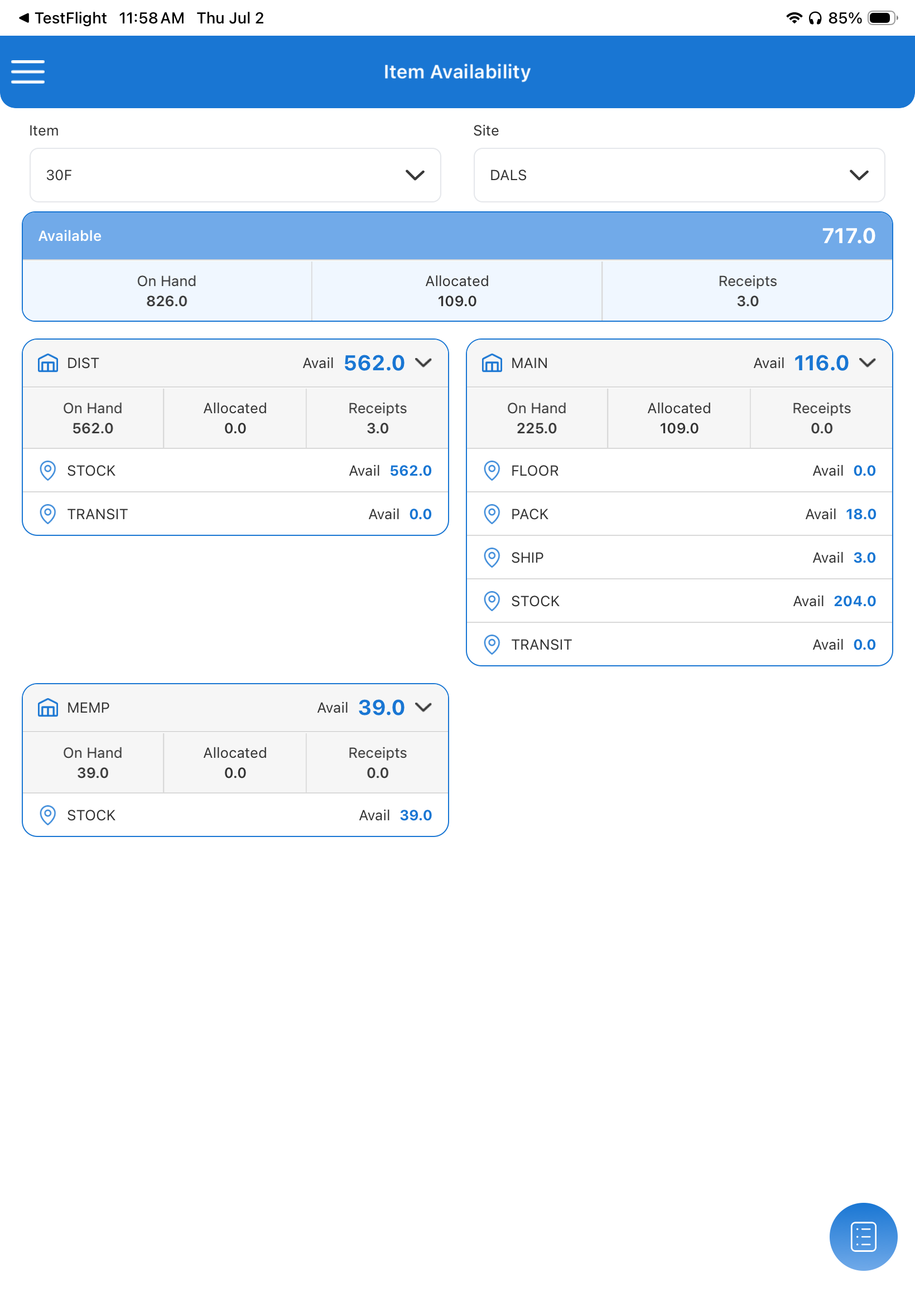
Instead of navigating through multiple screens or reports, users can now drill down from the highest level of the inventory hierarchy to the exact warehouse location where stock resides—all within a single, streamlined interface.
One View. Complete Inventory Visibility.
The new Item Availability screen provides an immediate summary of inventory for any selected item.
At the top level, users can instantly view:
- Available Quantity
- On-Hand Inventory
- Allocated Stock
- Expected Receipts
This gives planners, warehouse teams, customer service representatives, and sales personnel an immediate answer to the most common question:
"Do we have this item available?"
But the real power begins when users drill deeper.
Navigate Through Your Entire Inventory Hierarchy
With expandable inventory cards, users can progressively drill into each level of their inventory structure.
The hierarchy includes:
- Enterprise
- Site
- Warehouse
- Stock Location
For example, selecting a site displays every warehouse within that location. Expanding a warehouse immediately reveals individual inventory locations such as:
- Stock
- Pack
- Ship
- Floor
- Transit
Each level displays the available quantity without requiring additional searches or navigation.
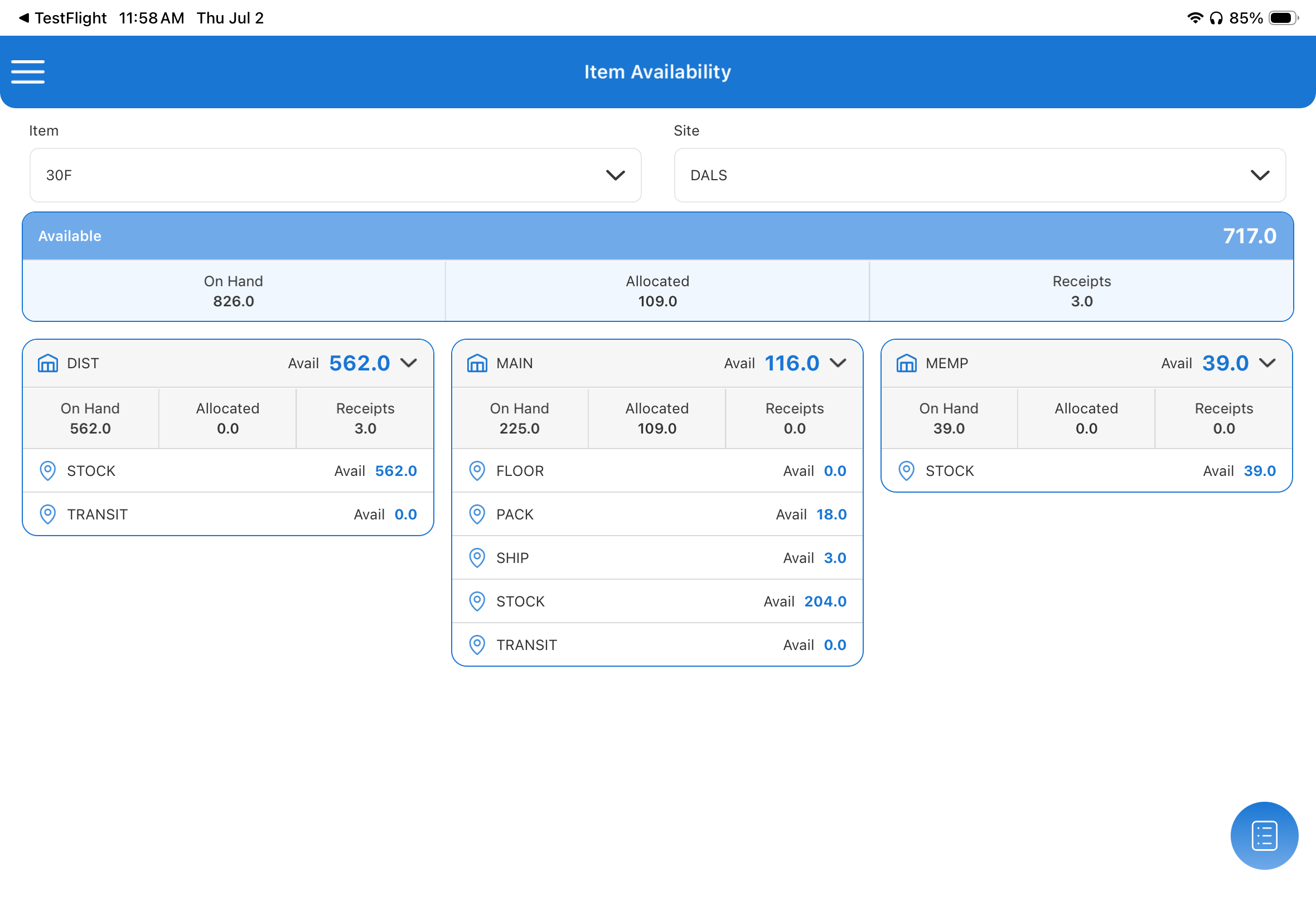
This hierarchical approach allows users to understand inventory distribution in seconds.
Make Better Decisions with Real-Time Inventory Data
Every inventory level provides key metrics that matter:
- On Hand – Physical inventory currently in stock
- Allocated – Quantity already reserved for existing orders
- Receipts – Incoming inventory expected through purchase orders or transfers
- Available – Inventory immediately available for new demand
Having these values visible together helps eliminate guesswork.
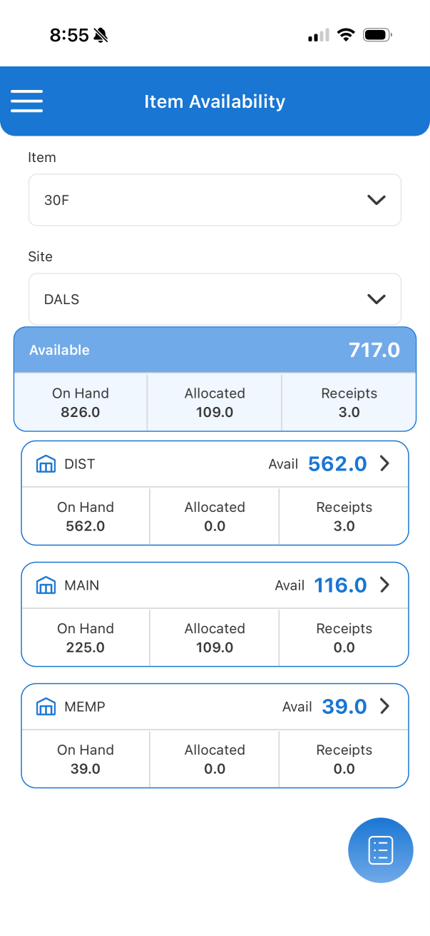
Instead of simply seeing that an item exists somewhere in the organization, users know exactly what can actually be promised to customers.
Built for Faster Operations
Whether you're handling customer inquiries, planning production, managing warehouse operations, or coordinating inventory transfers, the Item Availability Drill-Down significantly reduces the time spent searching for stock.
Typical use cases include:
- Quickly locating available inventory across multiple sites
- Identifying which warehouse has immediate stock
- Understanding why available inventory differs from on-hand quantities
- Viewing incoming receipts before committing to new orders
- Supporting customer service with accurate inventory information during live calls
Everything is presented in a clean, mobile-friendly interface designed for fast navigation.
Inventory Intelligence in One Streamlined Screen
Modern inventory management requires more than static stock reports. Teams need real-time visibility that follows the way inventory is actually organized across the business.
The new Item Availability Drill-Down feature in SyteRoam delivers exactly that—allowing users to move seamlessly from enterprise-level inventory summaries down to individual warehouse locations while maintaining complete visibility of availability, allocations, and receipts.
No switching between screens. No complex reports. Just the information you need, exactly where you need it.
Drill into your inventory hierarchy from enterprise to location—all from one streamlined form.